

PrintSimplify Store · ₹599/month + setup
An online store and product designer for your print shop
Customers open your store, choose a mug or a frame, put their own photo and text on it, check how it looks, and approve it. You receive a file sized for the product instead of a screenshot and a voice note.
From link to print file
How an online order reaches your printer
Your store, in your shop's name
The store lives at yourshop.printsimplify.in with your name, logo and a QR code you can stick on the counter or put in your WhatsApp status. We add your products, sizes, options and bulk prices during setup.
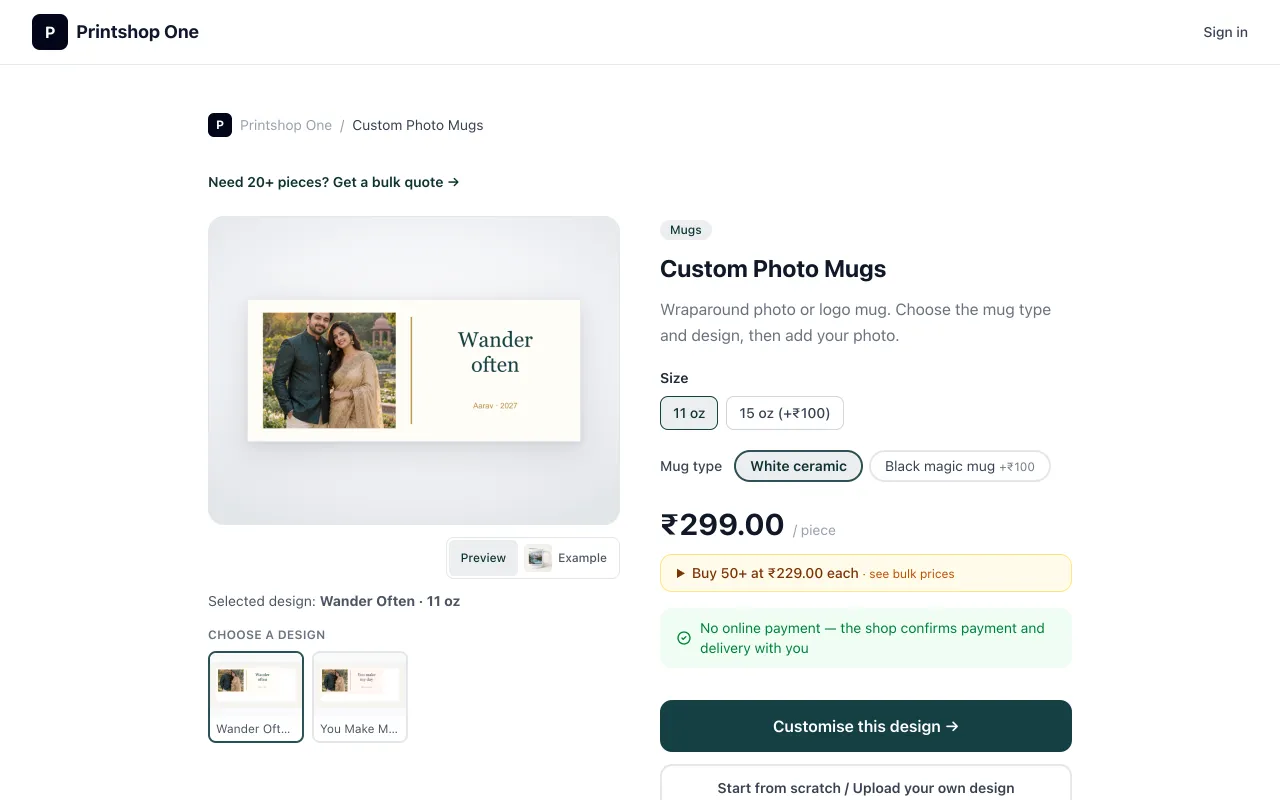
Product pages show sizes and options with their price differences — for example an 11 oz or 15 oz mug, white or magic mug — and "buy more, pay less" bulk prices.
Customers design in the browser
Start from one of your templates or from scratch. Add photos and text, move and resize them, and switch between front and back where the product has two sides. It works on a laptop and on a phone.
- Remove background
- Retouch
- Restore faces
- Magic eraser
See it on the product before ordering
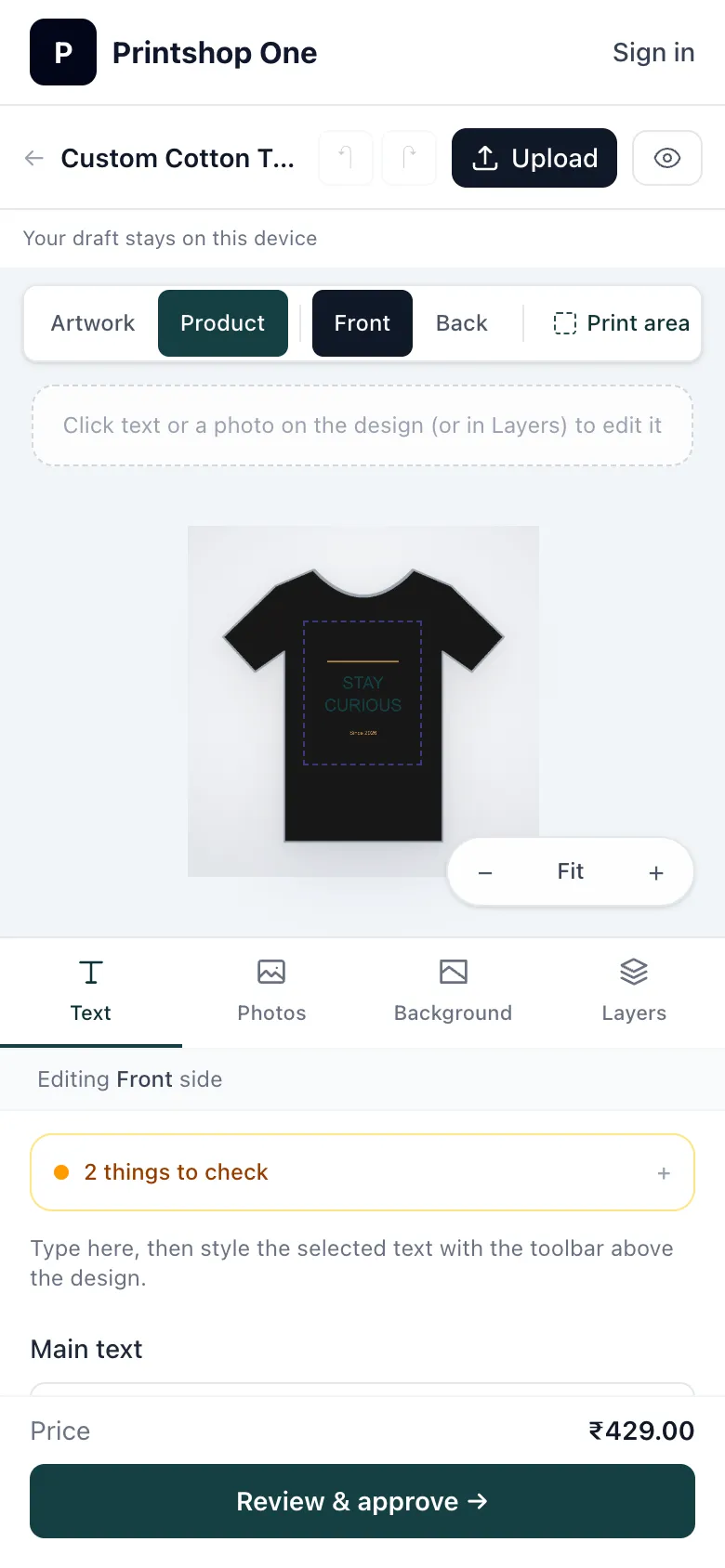
The preview shows the design on the frame, mug or garment, including the frame colour or T-shirt colour the customer picked. Each size is set up with its real print dimensions, so the preview follows the shape of the size the customer chose — a 4×6 and an 8×10 crop the same photo differently.
Background: why photos get cropped in frames.
Print check, then approval
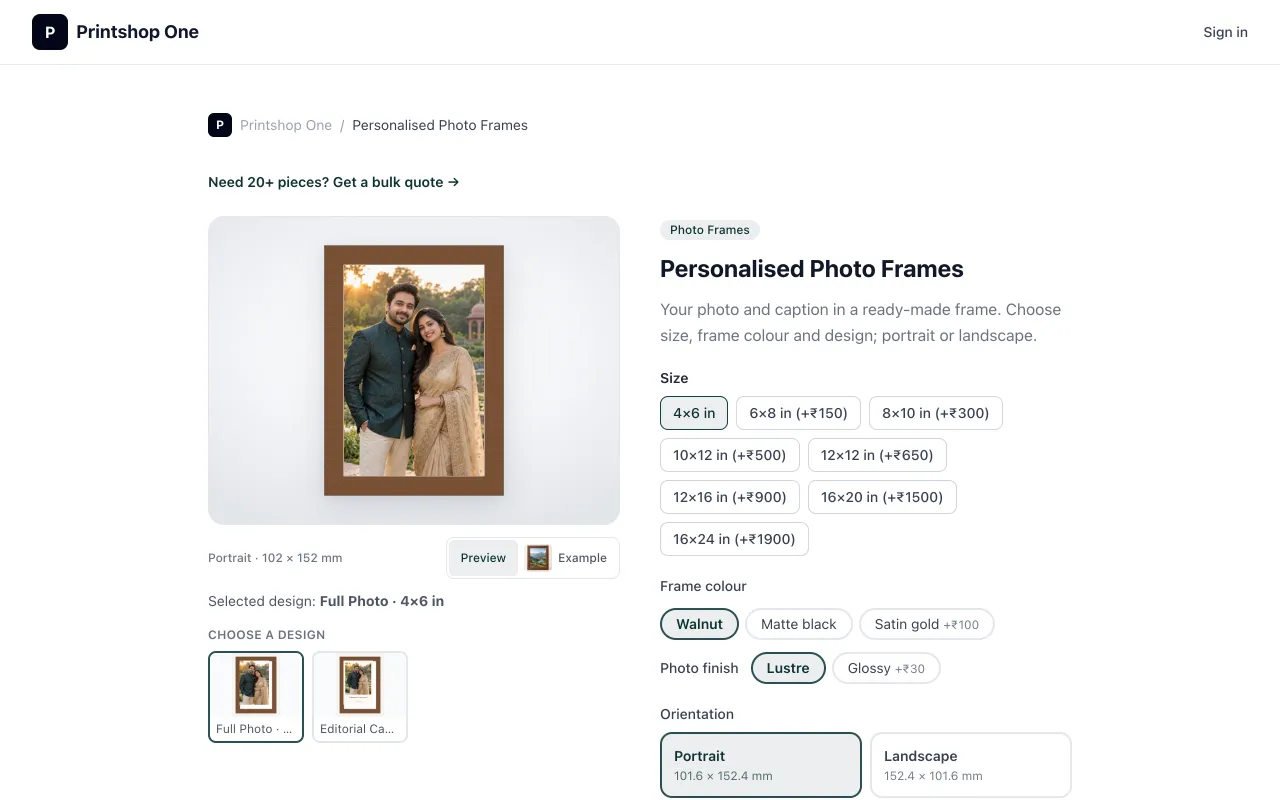
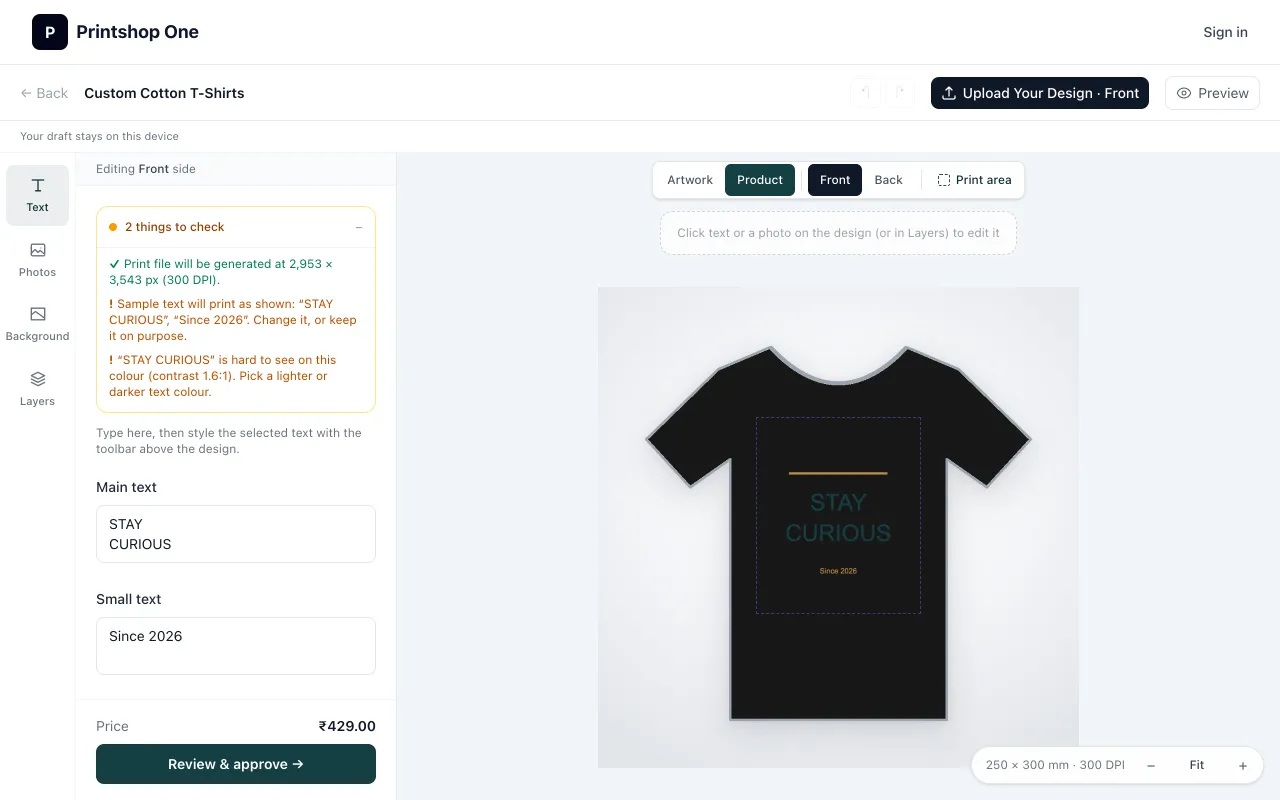
Before the order is placed, PrintSimplify points out problems you would otherwise find at the printer: a photo too small for the print size, sample text that was never changed, or text that is hard to read on the chosen colour. The customer fixes them and approves the design.
- Low-resolution photo warnings based on the real print size
- Unchanged sample text and low-contrast text
- Customer approval recorded with the order
Print-ready files and proof history
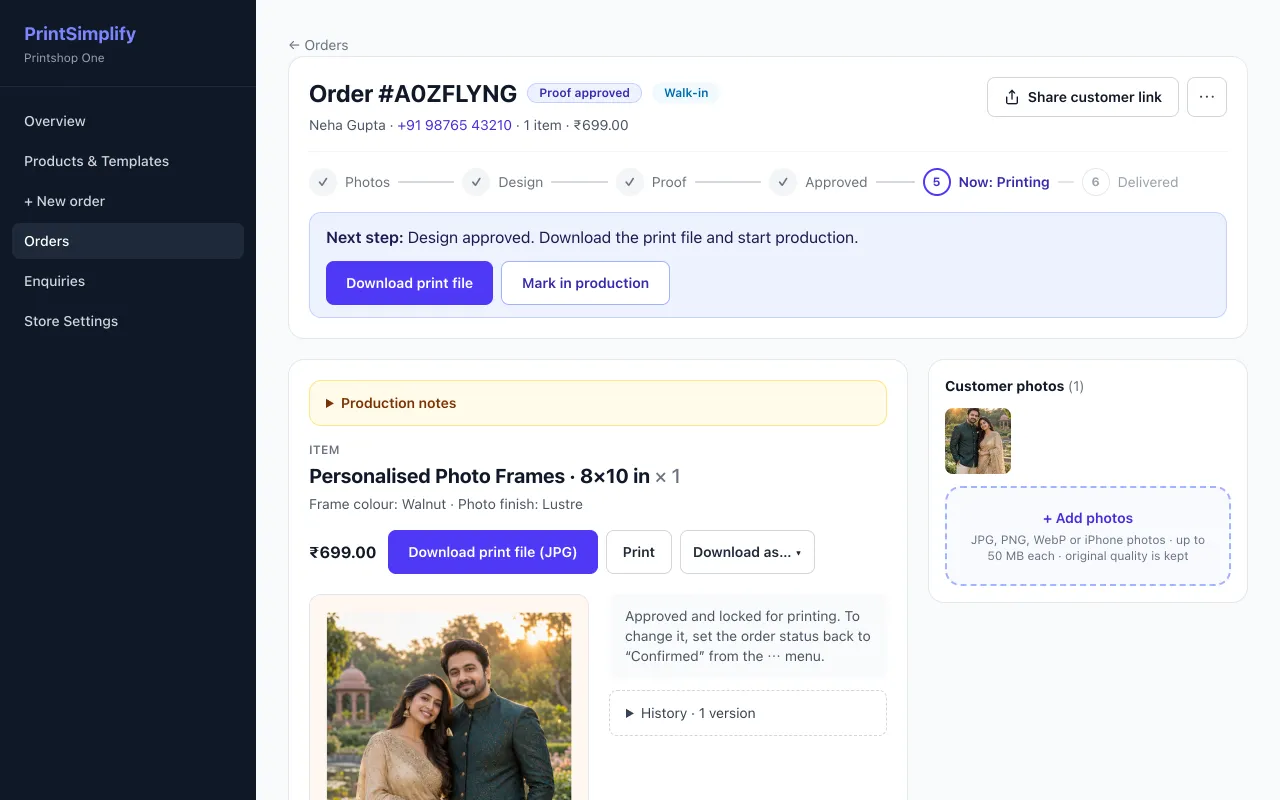
On your side, each job shows its steps — photos, design, proof, approved, printing, delivered. Download the print file at the product's physical size, with bleed and separate front and back files where needed, plus production notes.
If a customer asks for a change, send a new proof version. Every version and every approval decision is kept, and production uses the approved version. Check your printer settings before printing — PrintSimplify prepares the file, it does not drive your printer.
Before we set it up
What we need from you
Store setup takes longer than Orders because every product needs correct print measurements. Timing depends on the size of your catalogue; we confirm it with you.
- 1
Products and prices
Your rate card, sizes, options such as mug type or frame colour, and any bulk prices.
- 2
Images and print sizes
Product photos and the printable area of each product — for example the print size of your mug wrap or frame opening.
- 3
A short check together
We test a few orders with you, then train your staff on a 10-minute video call.
Products shops set up
- Photo mugs
- Photo frames
- T-shirts
- Visiting cards
- Greeting cards
- Calendars
- Posters
- Stickers & labels
- Flyers
- Certificates
Good to know
- The store does not take payments online. The shop confirms payment and delivery with the customer.
- Store includes everything in Orders, so counter orders and online orders sit in one place.
- A public marketplace where nearby customers find your shop is Coming soon
Try a store before you decide.
Open the live demo shop, design a mug, then message us to see it with your products. Open the demo shop ↗